Everything worth knowing requires a person to go get it. Someone has to remember to look, decide where to look, do the looking, work out what it means, and then act on it.
That is fine at ten calls a week. At hundreds it turns into rationing, and what gets rationed is not chosen on merit. You inspect the deals you already heard about and the reps already on your radar. Attention goes to whatever was loudest. Everything quiet waits until it turns up in a number, and by then it is a quarter old and decisions have already been made.
Kota Automations are live today. Tell Kota what to keep an eye on across your calls, deals, meetings, and roleplays, and it delivers exactly what you need the moment it matters, wherever you work.
Every revenue team has already solved this on paper. There is a rule about logging next steps. There is a process for flagging at-risk deals. There is a Friday ritual where someone reviews calls.
All of it runs on somebody having the hours, but nobody has the hours. So the rule becomes the thing you enforce when you happen to notice, and the process becomes the thing you follow on the deals you already care about. The work gets done partially, on a sample nobody chose.
The workarounds have the same ceiling. Keyword alerts only fire on words you knew to look for in advance. Reports only answer the question you thought to ask on the day you asked it. Both still need a person at the front deciding what to watch, and a person at the back deciding what it meant.
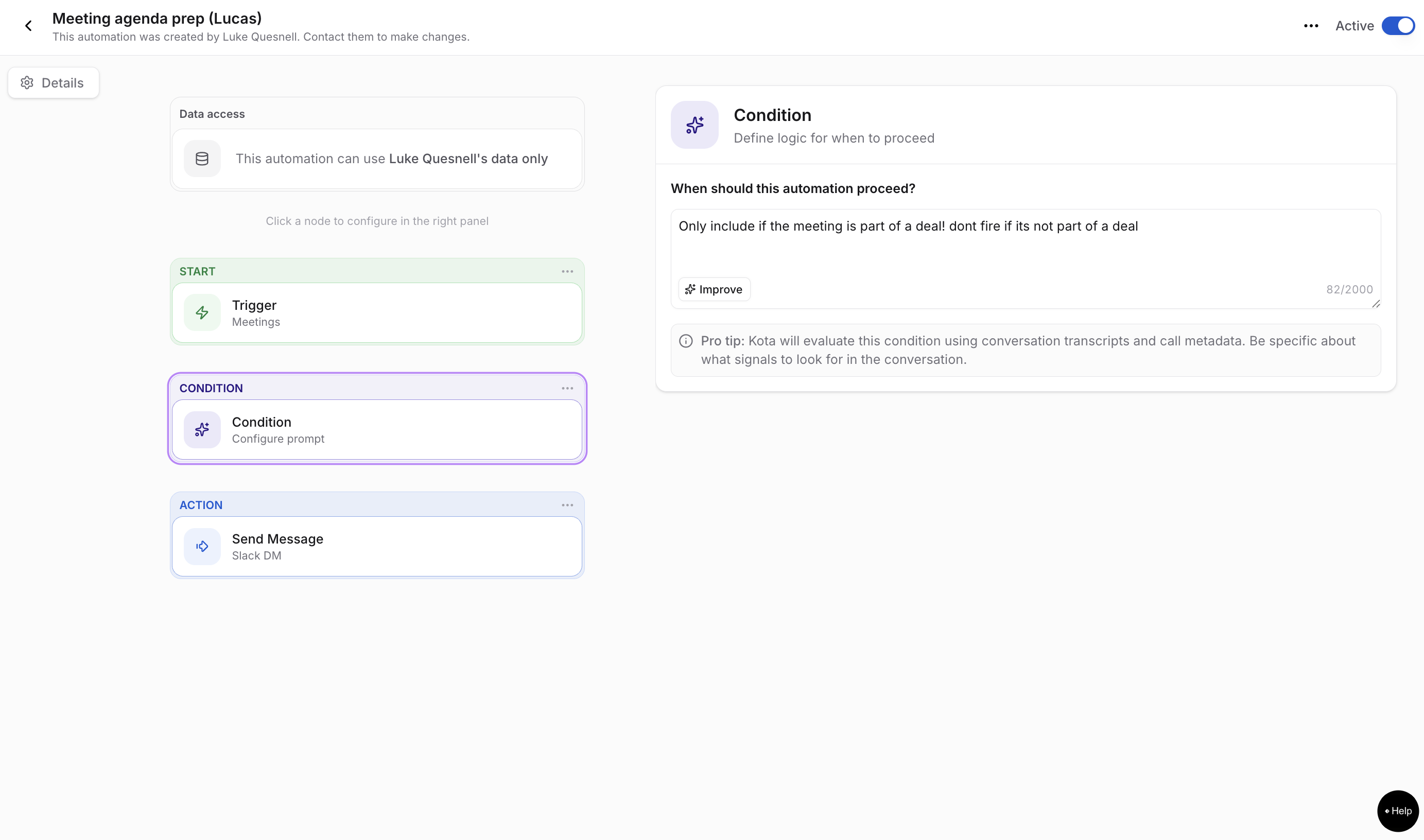
An automation is three components: what sets it off, what makes it worth sending, and where it goes.
The trigger is an event or a time. A call ending. A deal sitting still for two weeks. A roleplay completing. A learning module coming due. Every Friday at 4pm.
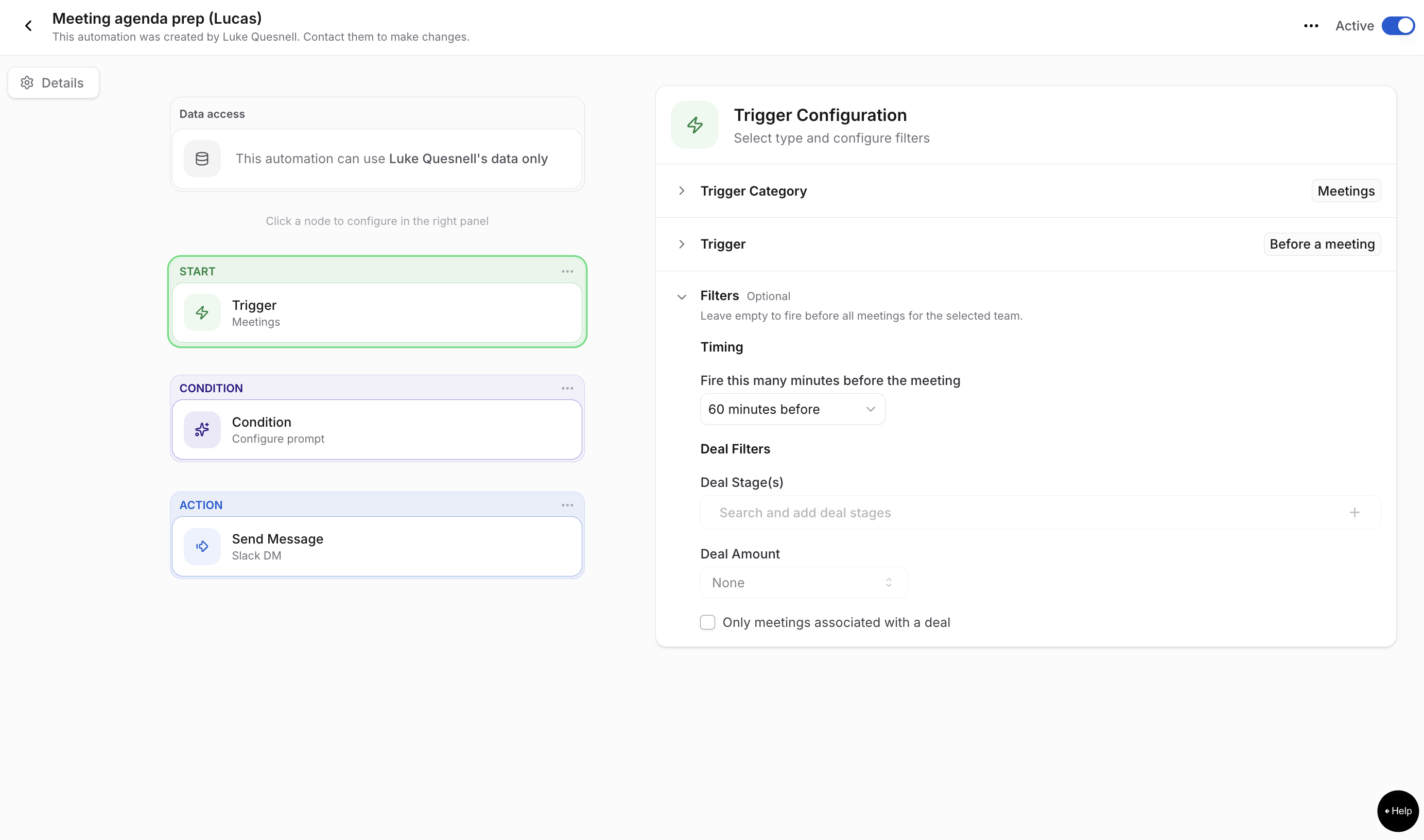
The condition is an optional filter that narrows down which events (or which data, for time-based) the automation should actually care about. If the trigger is the net, the condition is the mesh size.
The action sends the result to Slack, Teams, or an email draft. The message says what happened, why it got surfaced, and what to do next.
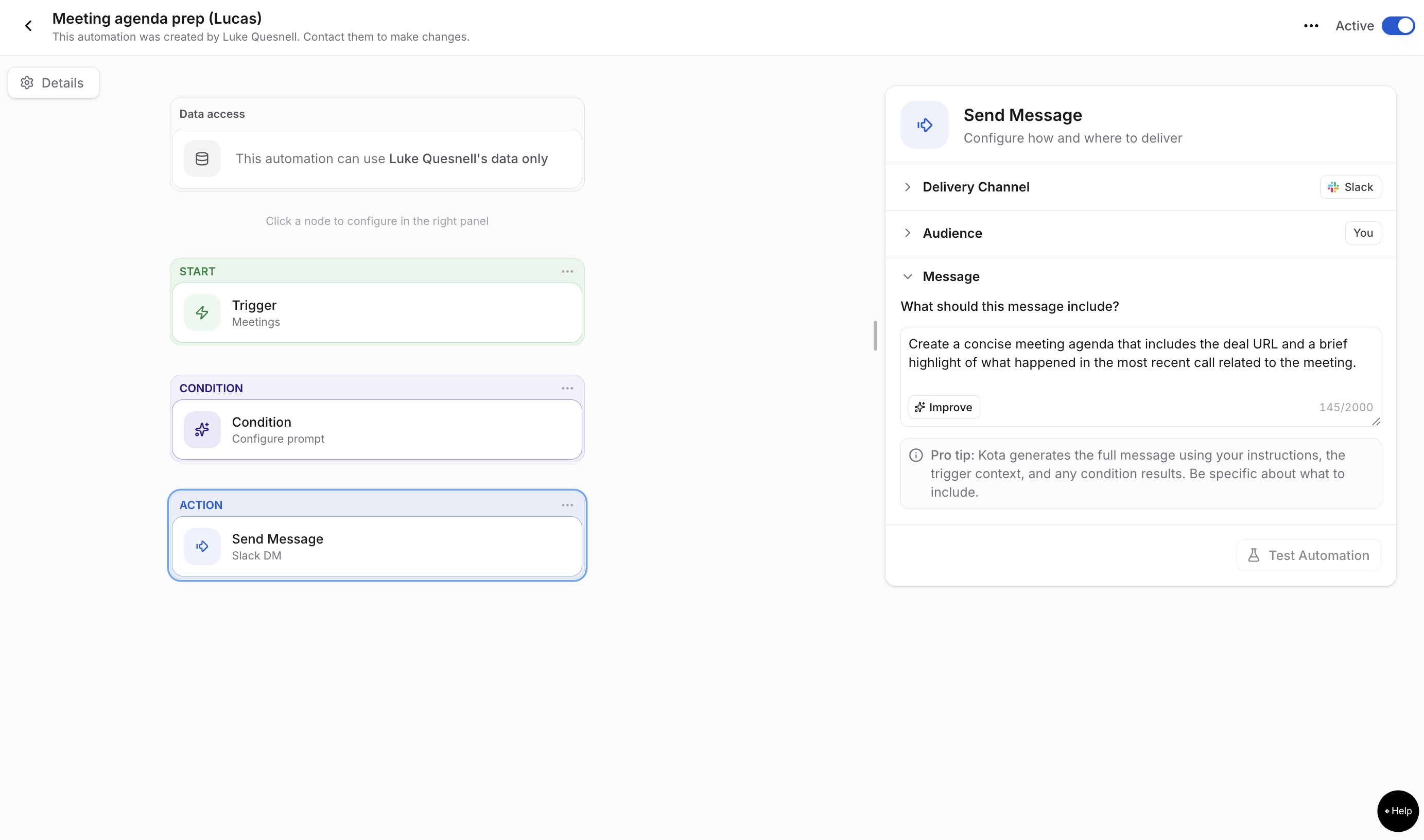
You have the ability to test every automation before it goes live. Kota pulls a real past event that matches, then shows you the exact output before anything goes to anyone.
If starting from scratch feels a little intimidating, there are pre-made templates ship for the common jobs. Anything not in the gallery, you write yourself in a sentence.
You rolled out new messaging. The certification is built, the team roleplayed it, and the CRO wants to know whether any of it is showing up in front of customers.
The honest answer, most of the time, is a completion rate. A metric that doesn’t hold real weight compared to true impact.
The fix is one automation, running weekly: check every real call against the new messaging. Report which reps are using it, which reps reverted, and what they said instead. Post it to the channel where enablement and the managers already talk.
Four weeks in, the initiative gets reported on behavior in real calls instead of on a number that meant nothing.
A rep completes a certification roleplay and the result goes into a dashboard nobody opens until QBR. By then the rep has been fumbling the same objection in front of real buyers for a quarter.
One automation, event based: when a roleplay completes, if the rep broke down on objection handling, send enablement and that rep's manager exactly what broke, with the moment from the transcript.
The rep gets coached the day they fail. The manager finds out from the system instead of from the pipeline.
This is the part no conversation intelligence tool can do, because it requires the roleplay and the real call to sit in the same system. One automation can read a roleplay, a real call, and a deal in the same breath, which means it can tell you that what a rep proved in practice is not what they do in front of a customer.
Neither automation above takes long to set up. Pick what sets it off, describe what you are looking for, say where it goes. A few minutes, once, and then it runs whether you remember it or not.
Start with one thing you keep meaning to check and never get to. That is the automation to build first.
Already a customer? Head to the Automations tab. Describe what you would want to be told about, hit Test, publish.
Not yet? Book a demo to take a closer look.










Use Cases
Legal