
You've built a solid enablement program. Your Seismic or Highspot instance is organized, your content is current, and your reps theoretically have everything they need to close deals. But when you roll out a new training initiative — a standalone simulation platform, a separate practice tool, a different login — adoption falls flat within weeks.
This isn't a motivation problem. It's a friction problem.
Sales reps are already juggling a CRM, a sales engagement platform, a content management system, and a calendar full of calls. When training lives on a separate island that requires its own login and a completely different workflow, it quietly gets deprioritized. As one enablement professional put it in a Reddit discussion on sales training tools, their team wanted tools that "help improve real-world selling skills, objection handling, and real customer conversations" — but the unstated requirement beneath that is that reps actually need to show up and use the tool for any of that to happen.
Hyperbound's SCORM integration solves this at the infrastructure level. Instead of pulling reps out of the systems they already live in, you embed realistic roleplay practice directly inside Seismic, Highspot, or Showpad. Reps click one link inside their familiar LMS, the roleplay launches, and scores flow back automatically. No new tool to learn. No separate login. No adoption cliff.
This article breaks down how lms integration for sales training works in practice, why SCORM is the technology that makes it possible, and how to set it up in minutes.
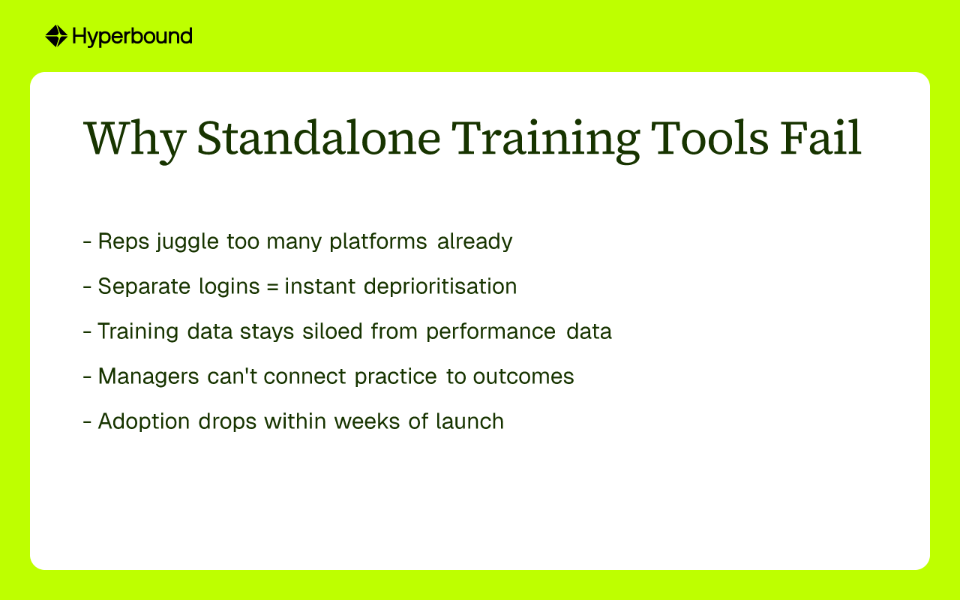
Tool fatigue isn't just an annoyance — it's a direct barrier to skill development. When training is disconnected from the rep's daily workflow, it becomes homework. And homework gets skipped.
The modern sales tech stack is already dense. Reps navigate between prospecting tools, call recording platforms, CRM dashboards, and content libraries before they even think about practice. Introducing yet another platform — even a great one — adds cognitive overhead that most reps aren't willing to absorb on top of a full day of selling.
The downstream effect is fragmented data. When completed roleplays sit in one system and learning paths live in another, managers can't connect the dots between training activity and performance outcomes. Industry research consistently highlights the importance of centralizing sales data from various sources into a single source of truth — a disconnected training tool works directly against that goal.
The solution isn't to find a better standalone platform. It's to make the platforms your team already trusts more powerful. That's exactly what SCORM integration enables.
SCORM stands for Sharable Content Object Reference Model. The name is clunky, but the concept is simple: it's a set of technical standards that lets eLearning content communicate with any compatible LMS.
Think of SCORM like a USB port for training content. You create a course — the USB drive — and you plug it into any compatible system — the computer — and it just works. The course launches, the LMS tracks whether the learner completed it, and scores or pass/fail results sync back automatically.
Enablement professionals often find this confusing at first. One user in a forum discussion about SCORM implementation described trying to understand "all the moving pieces of making the LMS SCORM and xAPI compliant" as overwhelming. But the same thread revealed a reassuring reality: "Most LMSs are SCORM compliant, so you usually don't have to do much if you're working with an authoring tool that outputs to SCORM. My authoring tool exports SCORM 1.2 files as zipped files. My LMS imports the zip. No further setup or configuration."
That's the experience Hyperbound is designed to deliver. Hyperbound acts as the authoring tool, exporting a clean SCORM package. Seismic, Highspot, and Showpad — all three of which are SCORM compliant — simply import the ZIP file and the roleplay becomes a native part of your course. No developer required. No custom build.
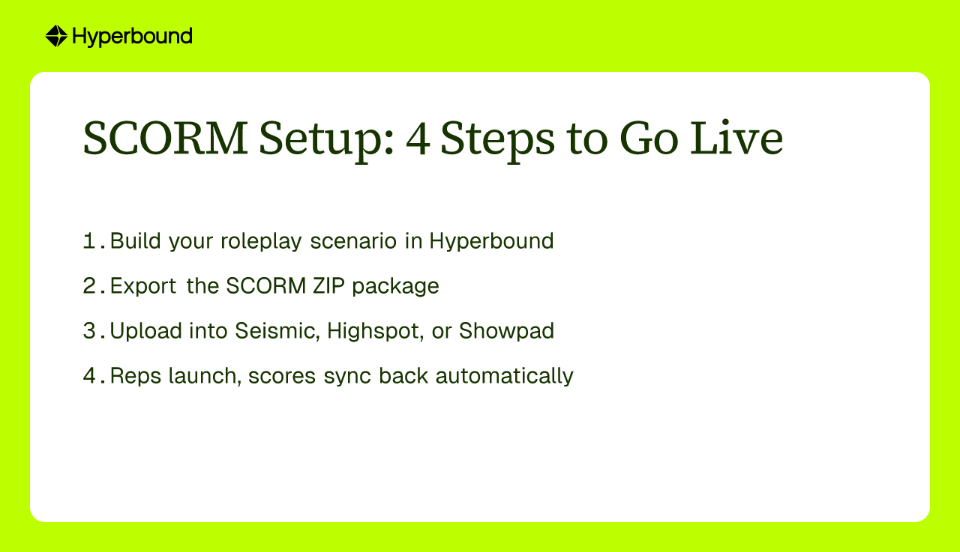
Getting a Hyperbound roleplay live inside your enablement platform takes minutes, not weeks. Here's the process:
Step 1: Build the Roleplay Scenario in Hyperbound
Start by designing the practice scenario inside Hyperbound. This could be a discovery call with a skeptical VP, a negotiation with a procurement team, or objection handling around a specific competitor. Build the buyer persona and set the difficulty level to match where your reps are in their development.
Step 2: Export the SCORM Package
Inside Hyperbound, navigate to the course you want to make available in your LMS. Select the SCORM setup option and toggle the setting to mark the course as reporting to your LMS. This is the step that activates the two-way data sync — completion status and scores will automatically push back to your LMS once a rep finishes the session. Then select "Export SCORM package." Hyperbound will generate and download a single ZIP file to your computer. That file is your portable roleplay module.
Step 3: Upload the Package to Seismic, Highspot, or Showpad
Log into your enablement platform of choice. Create a new lesson or open an existing training module. Look for the option to add content and select "Upload a SCORM package." Import the ZIP file you downloaded from Hyperbound. The platform will process the file and the roleplay will appear as a native, embedded element within your course.
Step 4: Reps Launch, Data Flows Back Automatically
From this point forward, reps interact with the roleplay exactly like any other piece of content in their LMS. They click one button, the simulation launches inline, and when they finish, the LMS records the completion. No redirects. No separate dashboard. No second login. As ZINFI's research describes it, "reps simply click a link in their LMS to launch roleplay sessions directly, without navigating to additional tools."
1. Zero Adoption Friction
The single biggest predictor of whether a training initiative succeeds is whether reps actually complete it. When roleplay lives inside the system they open every day, completion rates go up because there's no activation energy required. The training is already in their workflow.
2. Automated Certification Management
Certification management is one of the core operating requirements that LMS users consistently ask for. With SCORM integration, it works automatically. When a rep completes a roleplay and hits the passing threshold, the LMS records the certification without any manual input from the enablement team. You can build prerequisite logic so reps must pass a pitch certification before accessing the next module, or gate new product content behind a successful objection-handling simulation.
3. Unified Analytics Across Two Systems
The integrated approach creates a two-layered view of performance that neither system could provide alone. Your LMS — whether that's Seismic, Highspot, or Showpad — becomes the system of record for completion. It tells you who finished the training and when. Hyperbound provides the deeper layer: competency. It captures how well the rep actually performed, whether they used the right talk tracks, and qualitative coaching data that completion status alone can never reveal. Together, these two data streams give managers a complete picture of team readiness that connects training activity to real performance outcomes — the core goal of any modern revenue organization.
4. A More Engaging Learning Experience
Passive content consumption — reading a battlecard, watching a video — builds awareness. Active practice builds skill. When you embed a roleplay simulation directly after a piece of educational content, you create an immediate opportunity for reps to apply what they just learned. When practice is embedded this way, it "reduces friction, driving higher engagement and satisfaction among sales employees" — because the practice moment arrives naturally, as part of the learning flow, rather than as a separate assignment to complete later.

New Hire Onboarding with Built-In Certification Gates
Your onboarding program in Highspot walks new hires through product knowledge, company messaging, and CRM fundamentals. At the end of the messaging module, you embed a "First Pitch Certification" roleplay. New hires must complete the simulation and hit the passing score before the LMS unlocks the next stage of onboarding. This creates a structured, measurable ramp that ensures reps can actually articulate the value proposition before they get on a call with a real prospect. A well-integrated LMS makes onboarding "timely, personalized, and immersive," automating the training sequence so enablement teams don't have to manually track who finished what.
Activating Competitive Battlecards with Immediate Practice
You've just published a new competitive battlecard in Seismic. It has sharp differentiators and tight objection handles written by your best product marketers. The old workflow: reps read it, bookmark it, forget most of it within 48 hours. The new workflow: you embed a Hyperbound roleplay directly on the Seismic page, right below the battlecard. A rep reads the intel and immediately clicks to practice using that exact language against a simulated competitive objection. This solves the gap that one product marketing professional identified — "what actually matters is surfacing the right competitive intel or talk track while a rep is in a conversation." The Hyperbound integration builds that muscle memory before the live conversation ever happens.
Product Launch Readiness at Scale
A new product is going to market and you need every rep certified on the value proposition before launch day. In Showpad, you build a launch module that walks reps through the feature set and the buyer persona. At the end of the module, reps complete a roleplay where they pitch the new product to a skeptical buyer. The LMS automatically tracks which reps have passed certification, giving sales leadership real-time visibility into who is ready and who needs a follow-up conversation. No spreadsheets, no manual check-ins, no guesswork.
The most effective sales training doesn't require reps to change their behavior. It meets them inside the systems they already use, on the workflows they already follow, and makes practice feel like a natural part of the job rather than an add-on.
Hyperbound's SCORM integration is built on that principle. By embedding realistic, AI-driven roleplay directly into Seismic, Highspot, or Showpad, you remove the adoption barrier entirely. Reps get practice. Managers get data. Enablement teams get certification visibility. And everyone stays inside the platforms they already know.
The question isn't whether your team needs more practice. It's whether the training infrastructure you've built makes practice as easy as clicking one button. With SCORM integration, it does.
SCORM (Sharable Content Object Reference Model) is a technical standard that allows online training content to work with any compatible Learning Management System (LMS). It's important because it lets you embed interactive training tools, like AI roleplay simulations, directly into the sales enablement platforms your team already uses, such as Seismic or Highspot. This creates a seamless experience where the training content can automatically report completion data and scores back to your LMS without needing separate logins or platforms.
Integrating sales training directly into your LMS is better because it eliminates adoption friction by meeting reps in the platforms they already use every day. When training requires a separate login and a different workflow, it often gets ignored. By embedding practice like AI roleplays into Seismic, Highspot, or Showpad, you remove the barrier to entry. This leads to higher completion rates, unified analytics, and a more engaging learning experience where reps can immediately apply what they've learned.
SCORM integration automates the entire sales certification process by allowing your LMS to track completion and passing scores from embedded training modules automatically. You can set up certification gates within your LMS, for example, requiring a rep to pass a pitch simulation before they can access the next module in their onboarding. The LMS records the certification as soon as the passing threshold is met in the roleplay, eliminating the need for manual tracking and providing real-time visibility into team readiness.
Hyperbound's SCORM integration is designed to work seamlessly with any SCORM-compliant sales enablement platform or LMS. The most common platforms used by our customers include Seismic, Highspot, and Showpad. Because SCORM is a widely adopted standard, the integration process is straightforward across most modern learning management systems, allowing you to embed roleplays as native content.
Setting up a SCORM integration is very simple and typically takes just a few minutes with no developer assistance required. The process involves three main steps: 1) Build your training scenario in a tool like Hyperbound, 2) Export the scenario as a SCORM ZIP file with one click, and 3) Upload that ZIP file directly into your LMS (like Seismic or Highspot) as a new piece of content. The roleplay will then be embedded and ready to use.
An integrated approach provides two layers of analytics: completion data within your LMS and competency data from the training tool itself. Your LMS (Seismic, Highspot, etc.) acts as the system of record for completion, telling you who has finished the training and when. A tool like Hyperbound provides the deeper layer of competency, showing how well the rep performed, which talk tracks they used, and where they need coaching. Together, they provide a complete picture connecting training activity to performance outcomes.
See how Hyperbound embeds into your existing LMS — book a demo to watch it in action.









Use Cases
Legal