You've been sold the dream: an AI meeting assistant that listens to your calls, magically transcribes everything with perfect accuracy, auto-generates agendas, and delivers pristine summaries with perfectly captured action items. It sounds revolutionary—until you're knee-deep in a paid subscription wondering why the AI thinks "quarterly revenue targets" means "courtly revenge carpets."
As one frustrated product manager put it in a recent Reddit discussion: "OMG so many of these waste of time wannabees... they all promise the moon and lie mostly. The devil is in detail and it's what they don't tell you that matters—which you may not guess till you've splashed your cash."
If you're nodding in agreement, this guide is for you. Let's cut through the marketing hype and explore how to identify AI meeting tools that actually deliver value, with a focus on what product managers really need to know before committing their team's time, data, and budget.
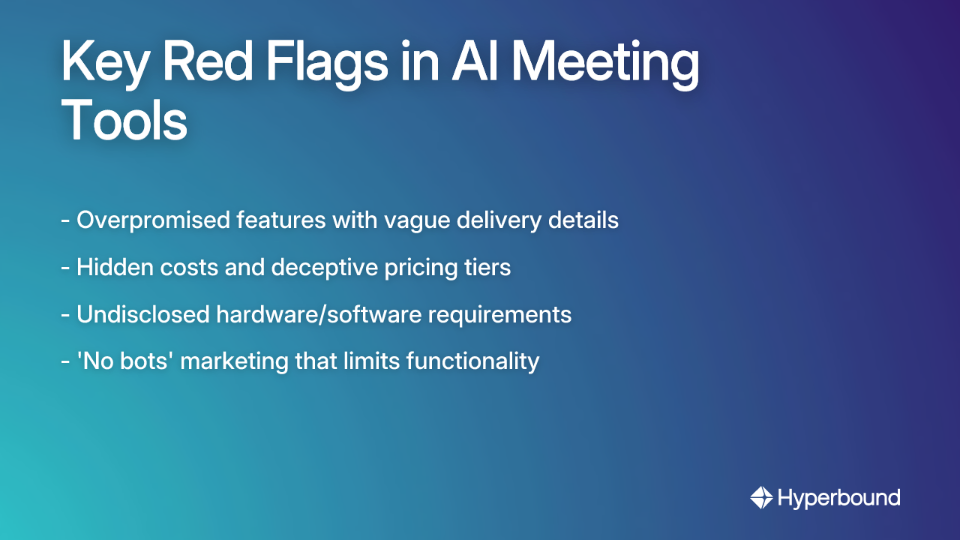
Many AI meeting assistants claim to do everything—from perfect transcription to generating comprehensive meeting insights—but fail in core execution. When vendors use buzzwords like "revolutionary AI" or "seamless experience" without demonstrating exactly how the technology works in realistic scenarios, proceed with caution.
Actionable Tip: Look past the landing page. Demand a live demo that replicates one of your team's common meeting scenarios. If a feature is critical (e.g., real-time assistance), see it work live in conditions similar to your actual meetings.
As one user discovered: "You need a mike connected to your PC/laptop or it won't work—even though it promises to record from internal audio. They don't tell you that."
Actionable Tip: During your trial, test the tool in your team's actual environments—different operating systems, with and without external microphones, and on calls with poor connectivity. Does it still perform as advertised?
Some tools market the benefit of not having a visible bot in the meeting, but this often comes with limitations. As one product manager noted: "It's cool that no bots join the call, but it's limited in functionality: provides post-meeting transcriptions and summaries."
Actionable Tip: Understand the trade-off. Does the "botless" approach prevent real-time features you might need, like in-meeting cues or live transcription? Or is post-meeting analysis sufficient for your needs?
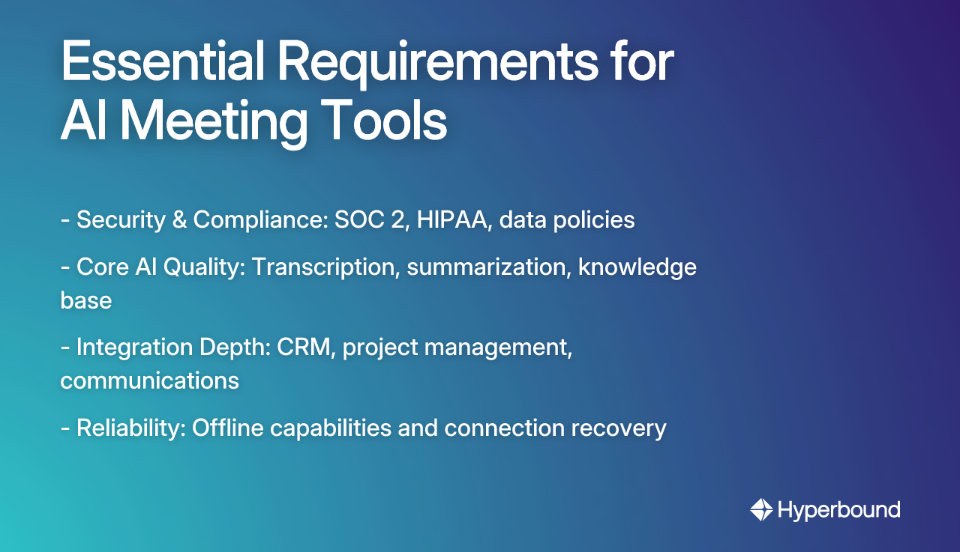
Before asking "How accurate is it?", ask "How safe is it?" This shift in priority is crucial because even the most accurate tool becomes a liability if it compromises your data security.
Consider the cautionary tale shared in Livefront's article where an AI notetaker named "Gary" sent a meeting summary to someone who wasn't even in the meeting—a serious breach that could have exposed confidential information.
Your Security Checklist:
Resource: Ask potential vendors for their security and compliance documentation, or use a security checklist template to guide your questions.
The fundamental capabilities should work reliably before you consider advanced features:
Actionable Tip: During your trial, compare the AI-generated summary against notes taken by a human. The AI doesn't need to be perfect, but it should capture the essential points without missing critical details or action items.
It's not enough for a tool to display a collection of integration logos on their website. The depth of integration matters significantly.
Security Note: Remember to check the permissions an integration requests. As one PM cautioned: "Needs full integration with Google docs/calendar? Google spies? Security risk."
For teams with unreliable internet or those who travel frequently, offline functionality is crucial:
Several PMs have noted that some tools, particularly for Mac users, can handle transcriptions offline, making them reliable even in challenging connectivity environments.
Before starting any trial, be crystal clear on your goal. Are you looking for:
Different tools excel at different use cases, and no single solution is best for all scenarios.
Don't just use the demo meeting. Test the tool on:
For each scenario, evaluate how well the tool performs on your must-have features. Does it properly transcribe technical terms? Does it generate an actionable agenda? Does it accurately capture action items and assign them to the right people?
Involve at least 2-3 team members in the trial who represent different use cases:
Ask them specific questions: Did it save you time? Was the interface intuitive? Did it create more work (e.g., having to heavily edit the summary)? Their feedback will provide valuable insights beyond what you might notice.
Standard AI meeting assistants are great at capturing what was said. They provide a record. However, they do little to improve what should be said in high-stakes conversations. They are historians, not coaches.
For product managers working with sales, customer success, and hiring teams, the quality of the conversation itself is often the metric that matters most. This is where specialized coaching tools become relevant.
If your role involves supporting sales or customer success functions, you might need tools that go beyond simple transcription to actively improve conversation quality.
For example, Hyperbound is an AI Sales Coaching platform designed not just to record meetings but to transform how teams learn and perform in critical conversations. Unlike standard meeting assistants, Hyperbound focuses on:
When evaluating specialized tools like this, the same evaluation principles apply—prioritize security, test with real scenarios, and gather team feedback—but the success metrics shift from "how well did it capture the meeting?" to "how much did it improve our conversations?"
You might need more than a standard meeting assistant if:
For these scenarios, tools like Hyperbound's AI Post-Sales Roleplays can help customer success managers practice critical conversations and receive targeted coaching.
Choosing the right AI meeting tool isn't about finding the one with the longest feature list. It's about a methodical evaluation process that prioritizes:
Start by asking "Is it safe?" Then ask "Does it solve my actual problem?" For simple documentation, a standard AI meeting assistant may suffice. But if your goal is to improve the outcomes of your most critical conversations, you may need to look beyond transcription to a true coaching platform.
By following this framework, you'll cut through the marketing hype and find tools that deliver genuine value rather than empty promises—saving your team from the frustration of yet another "waste of time wannabe."
The single most important factor is security. Before evaluating features or accuracy, confirm the tool meets your company's security and compliance standards, such as SOC 2 certification. Protecting confidential conversations should be your top priority, as a data breach is a far greater risk than an inaccurate transcript.
The best way to test accuracy is by running a structured trial with your team's real-world meeting scenarios. Use the tool in meetings with heavy industry jargon, multiple speakers with different accents, and poor connectivity. Then, compare the AI-generated transcripts, summaries, and action items against notes taken by a human to see how well it captures crucial nuances.
A standard AI meeting assistant is a passive tool designed to record and document what was said in a meeting. An AI coaching platform, on the other hand, is an active tool designed to improve team performance by analyzing conversations and providing feedback, practice environments (like AI role-plays), and real-time guidance on what should be said.
Not necessarily, as it involves a trade-off. "Botless" tools, which don't have a visible participant in the call, offer a less intrusive experience. However, this often comes at the cost of real-time functionality, such as live transcription or in-meeting cues. The better choice depends on whether your team needs post-meeting analysis or in-the-moment assistance.
Deep integrations matter because they automate workflows and reduce manual data entry, turning insights from meetings into action. A shallow integration might only link a transcript, but a deep integration can automatically create a task in Jira from an action item, update a customer record in Salesforce, or push key moments to a specific Slack channel, making the tool a seamless part of your existing process.









Use Cases
Legal