Summary
- Stale or conflicting source content, not the model, is the main reason AI agents return wrong answers. Stale knowledge bases can reduce agent accuracy by up to 40%.
- Treat a sales content audit as an operational inventory and hygiene review, not a marketing or SEO review. Every asset that could be retrieved must be listed, deduplicated, owned, permissioned, and tagged.
- Run five steps: inventory all sales collateral; mark duplicates and conflicts; assign one named owner with a review cadence; set agent read permissions; add taxonomy tags for sales stage, industry, persona, product, use case, and competitor.
- Once the audit is complete, Hyperbound can activate the governed content with AI roleplays and deal coaching.
AI agents do not evaluate the content they retrieve. They retrieve what ranks highest against a query and return it as fact. When an agent misquotes a pricing page, cites a discontinued feature, or surfaces a battlecard from two product versions ago, the root cause is almost always the source content, not the model.
Stale knowledge bases can degrade agent accuracy by up to 40%, and an estimated 60% of enterprise RAG projects fail specifically because teams cannot maintain data freshness at scale. Gartner forecasts that more than 40% of agentic AI projects will be cancelled by end of 2027, citing escalating costs, unclear business value, and inadequate risk controls.
A sales content audit before automation is not a marketing audit. It is not about traffic or SEO. It is an operational inventory-and-hygiene pass over the sales collateral library: the document set the agent will retrieve from. That retrievable set is the ceiling on everything built above it.
The five steps below are tool-agnostic. Sales teams can run them this week, whether or not any AI tooling is in place yet.
Step 1: Inventory every document and where it lives
Sales content is rarely maintained as a library from the start. Launches generate collateral, reps customize decks per prospect, and customer success creates its own resources. Content ends up across Google Drive, SharePoint, Salesforce, Notion, and email threads, with no single list of what exists or where the authoritative copy lives.
The first step in any sales content audit is to produce that list.
Open a spreadsheet and map every asset across every system. Include both internal-only assets, such as battlecards, playbooks, and call libraries, and customer-facing assets, such as case studies, ROI calculators, mutual action plans, one-pagers, and decks. Scope the audit to anything a future AI agent might plausibly be asked to retrieve.
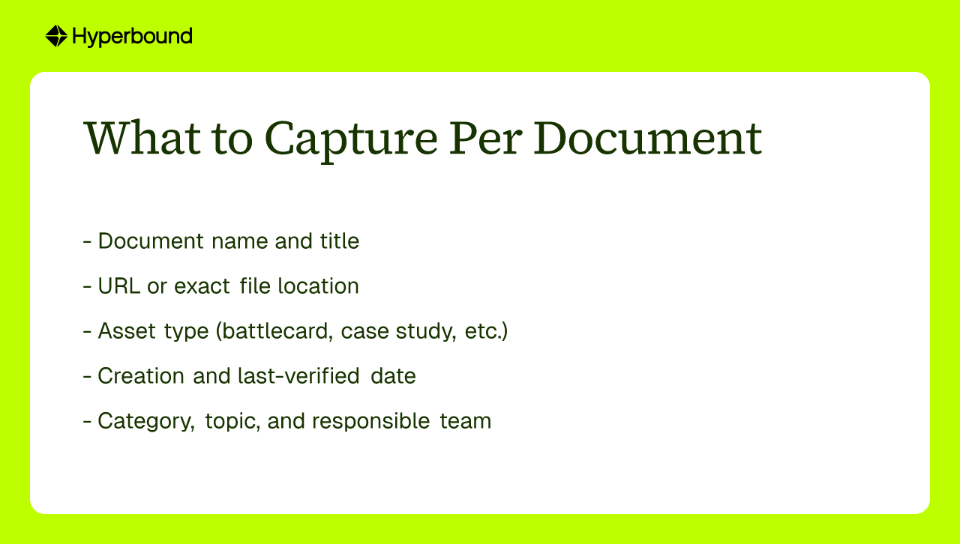
For each document, capture:
Do not attempt to evaluate quality at this stage. The only goal here is completeness. An asset that does not appear in the inventory will not be audited, and it will not be governed once the agent goes live.
Step 2: Mark duplicates and conflicting versions
Once the inventory exists, the next task is to identify content that overlaps, contradicts, or duplicates other content.
This step is more consequential for AI than for human readers. A sales rep encountering two versions of a competitive battlecard will notice the discrepancy and ask someone. An AI agent will not flag the conflict. It will select one document per query based on text similarity to the question, not on which version is current. The result is an answer that is wrong some percentage of the time, with no signal to the user that a conflict existed.
Run the deduplication process in two passes.
The first pass catches exact duplicates. Content hashing, available in most file management tools and purpose-built in platforms like fast.io, identifies files with identical content regardless of filename. These are straightforward to resolve.
The second pass catches near-duplicates: two documents that cover the same topic in different language, or a legacy version of a piece that was updated without the original being retired. Semantic similarity tools surface these by comparing meaning rather than exact text.
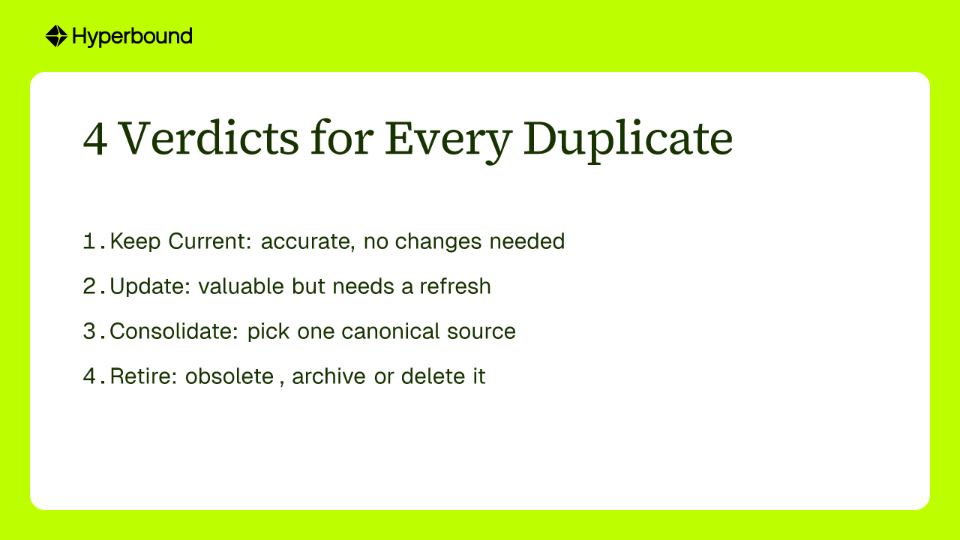
For every document identified in either pass, assign one of four verdicts:
- Keep current - the content is accurate and requires no changes.
- Update - the content is valuable but needs a refresh before it enters the agent's retrieval set. Assign a new review date and an owner (see Step 3).
- Consolidate - pick a canonical source and remove or redirect all duplicates and conflicting versions to it.
- Retire - the content is obsolete. Archive or delete it. Leaving obsolete assets alongside current ones erodes confidence in the library, and once an agent reads the library, that loss of confidence has direct customer-facing consequences.
Step 3: Name a single owner per document
Accountability is not optional once an AI agent is reading the knowledge base. Every document in the retrieval set needs a named owner: a specific person, not a team, not a role title, and not "marketing."
Add an owner field to the inventory and assign it for every row. Ownership follows function:
- Product Marketing owns battlecards and messaging guides.
- Customer Marketing owns case studies and testimonials.
- Enablement owns onboarding materials and playbooks.
- Product owns technical documentation.
Ownership without a maintenance rhythm produces the same outcome as no ownership at all. Attach a review cadence to each document based on how quickly the underlying information changes:
- Critical or operational content (pricing, terms, compliance statements): update immediately when the source changes.
- Product documentation: 30-day review cycle.
- Reference content (competitive intelligence, positioning): 90-day review cycle.
- Evergreen content (methodology guides, foundational frameworks): annual review.
These thresholds transform the sales content audit from a one-time project into a standing process. The inventory becomes a maintenance tracker. The owner field becomes an accountability structure that survives the audit itself.

Step 4: Decide agent read permissions per document
Not every document that belongs in the knowledge base should be retrievable by every agent or every user. Treating access control as an afterthought creates two distinct risks.
The first is over-permission. RAG agents must inherit the permissions of the user they serve, rather than receive blanket access to the full document store. An agent with unrestricted access can surface documents containing personally identifiable information, confidential deal terms, or internal legal guidance to users without authorization. The compliance exposure is real: 65% of 2023 data breaches involved internal actors, and human error was a main contributing factor in 68% of those cases.
The second risk is under-permission. An agent locked out of most of the library cannot give useful answers and erodes adoption.
The solution is to assign an explicit permission segment to every document in the inventory. Practical segments for a sales collateral library include:
- Internal-only (executive briefings, internal cost structures, legal templates)
- Sales-team-only (battlecards, call libraries, competitive intelligence)
- Partner-facing (co-sell materials, partner playbooks)
- Public or customer-facing (case studies, one-pagers, product overview decks)
Add a permissions column to the inventory and assign one segment per document. When the content moves into an agent's retrieval layer, this segmentation governs what each user or agent role can retrieve. Without it, access controls have to be reconstructed from scratch inside whatever platform the agent runs on, which is slower and more error-prone.
Step 5: Define the relationships between documents
A flat list of cleaned and permissioned documents is not yet a knowledge base. It is an unstructured collection. For an AI agent to retrieve contextually appropriate content, the documents need connective structure.
That structure is not a folder hierarchy. Relationships between documents should be expressed as metadata tags on each asset, not as physical copies in multiple folders. A case study placed in a "Healthcare" folder and also a "Financial Services" folder creates a duplication problem. A case study tagged with both industries remains a single canonical document.
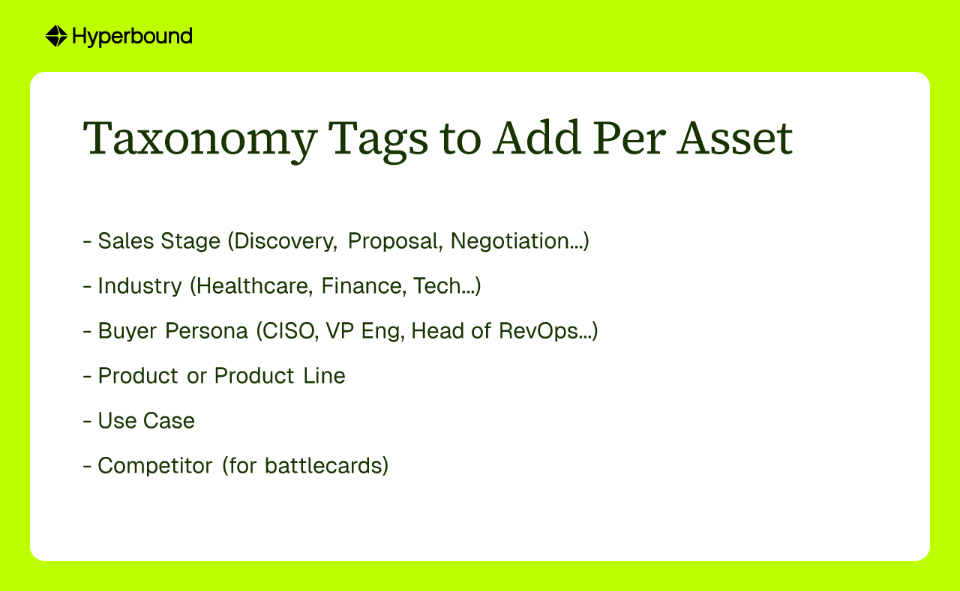
Add taxonomy columns to the inventory for:
- Sales stage (Discovery, Evaluation, Proposal, Negotiation, Closed)
- Industry (Healthcare, Finance, Technology, etc.)
- Buyer persona (CISO, VP of Engineering, Head of Revenue Operations, etc.)
- Product or product line
- Use case
- Competitor (for battlecards and competitive content)
These tags allow an agent to answer a question such as: "Find a case study relevant to a CISO in financial services who raised a concern about data residency in the proposal stage." Without them, the agent retrieves whatever is textually closest to the question, which may be accurate but is rarely specific enough to be useful.
The connective layer is the taxonomy. It is what converts a document inventory into a usable content knowledge graph.
Your content is clean. Now give it a home.
At the end of this five-step sales content audit, the output is a spreadsheet that functions as a fully governed knowledge base specification: every document listed, every duplicate resolved, every asset assigned to an owner with a review cadence, every row marked with permissions and taxonomy tags. The resulting inventory is a single source of truth.
The spreadsheet is also the input to the next decision: where this content lives when an agent reads it. The audit here is the pre-work behind two related pieces: Why Sales Knowledge Has No Home (the problem) and Structured Revenue Knowledge (why the content model matters more than the content).
Hyperbound's Revenue Activation Platform is a natural next step for teams that want to put that content to work. Once sales content is clean, owned, permissioned, and tagged, Hyperbound can connect it to AI roleplays, deal coaching, and live conversation analysis, so the governed knowledge base feeds rep execution instead of remaining unused. To see how audited content can support Hyperbound Practice and Perform, request access through the Hyperbound account manager.

Frequently Asked Questions About Sales Content Audits for AI Agents
What is a sales content audit for AI agents?
A sales content audit for AI agents is a structured inventory and hygiene review of all sales collateral an AI agent may retrieve. It ensures every document is accurate, non-duplicative, owned, permissioned, and tagged for retrieval. Unlike a marketing audit, it focuses on operational readiness for retrieval-augmented generation (RAG) and agentic AI rather than SEO or traffic. The output is a governed retrieval set that determines how accurately and safely AI agents can answer sales questions.
Why do AI agents return wrong answers when sales content is stale?
AI agents retrieve content based on query similarity and present it as fact without evaluating freshness or authority. If the underlying document is outdated, duplicated, or contradictory, the agent will not flag the conflict. It will simply cite the wrong version. Stale knowledge bases can degrade agent accuracy by up to 40%, which is why a pre-automation content audit is essential.
How often should you audit sales content before and after deploying AI agents?
Run a full sales content audit at least quarterly, with a continuous maintenance rhythm tied to each document. Critical content like pricing and compliance should be updated immediately when source data changes. Product documentation should follow a 30-day review cycle, competitive reference content a 90-day cycle, and evergreen foundational content an annual review. The audit is not a one-time project; the inventory should become a living maintenance tracker.
Who should own the sales content audit and individual documents?
Revenue enablement or RevOps typically coordinates the audit, but every document needs a named owner: a specific person, not a team or department. Product marketing owns battlecards and messaging, customer marketing owns case studies, enablement owns playbooks, and product owns technical documentation. Ownership must be paired with a review cadence to keep the retrieval set trustworthy.
Which sales assets should be included in an AI content audit?
Include every internal and customer-facing asset an AI agent might plausibly retrieve: battlecards, playbooks, call libraries, case studies, ROI calculators, mutual action plans, one-pagers, decks, pricing sheets, and technical docs. If it lives in Google Drive, SharePoint, Salesforce, Notion, or email and a rep might ask an agent to find it, it belongs in the audit. Completeness matters because any asset missing from the inventory will not be governed later.
How do you resolve duplicate and conflicting sales content for AI systems?
Resolve duplicates in two passes. First use content hashing to catch exact duplicates, then use semantic similarity tools to identify near-duplicates and legacy versions. For each flagged item, assign one of four verdicts: keep current, update, consolidate to a single canonical source, or retire. Leaving conflicting assets in the retrieval set causes AI agents to surface wrong answers without signaling uncertainty.
When should you set permissions for sales content used by AI agents?
Set permissions during the audit, before any AI agent or RAG system goes live. Add a permissions column to the inventory and assign each document a segment such as internal-only, sales-team-only, partner-facing, or public/customer-facing. This ensures agents inherit access controls instead of receiving blanket access, reducing both over-permission and under-permission risks.
How does taxonomy tagging improve AI agent answers?
Taxonomy tags give agents retrieval context beyond text similarity. By tagging each asset with sales stage, industry, buyer persona, product line, use case, and competitor, organizations enable agents to answer specific queries such as "find a case study for a CISO in financial services concerned about data residency at the proposal stage." Without tags, the agent retrieves whatever is textually closest, which is often accurate but not specific enough to be useful.
What is the difference between a sales content audit and a marketing content audit?
A marketing content audit evaluates content performance for traffic, SEO, engagement, and lead generation. A sales content audit for AI is an operational inventory and hygiene pass over the sales collateral library. It focuses on accuracy, duplication, ownership, permissions, and taxonomy for retrieval by AI agents, not on page views or conversions.
Want to see Hyperbound in action?
Try it now